
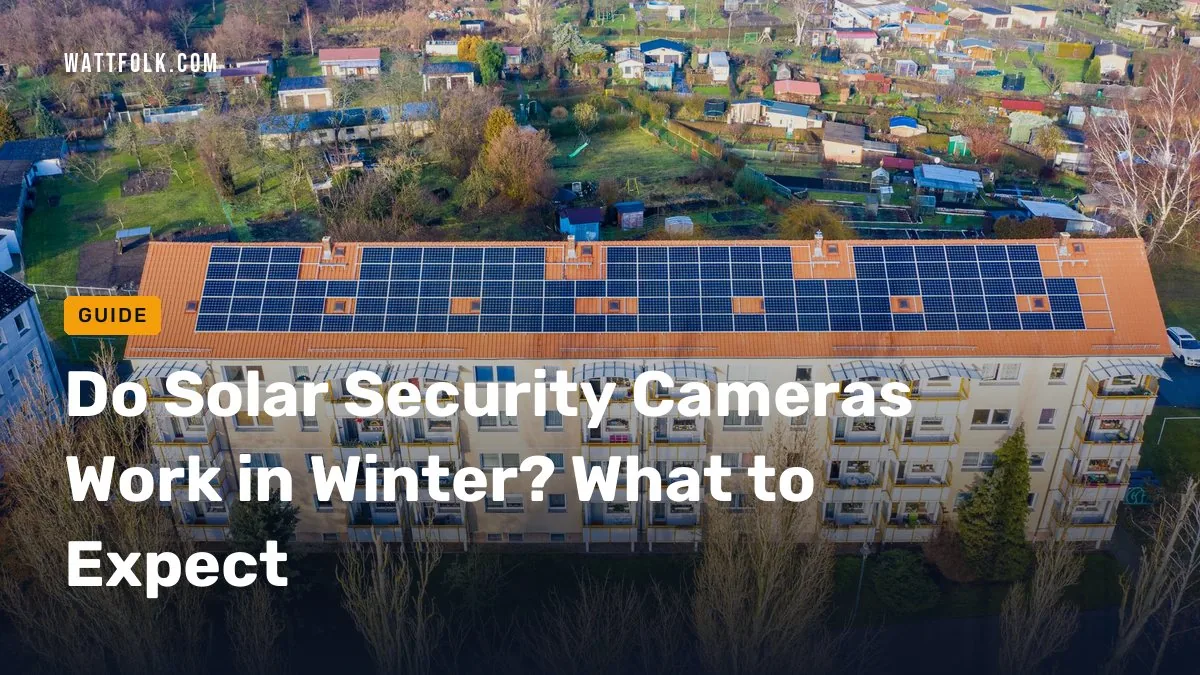
Solar security cameras can work in winter, but they have less charging margin than in summer. Short days, a low sun, snow on the panel, clouds, and cold batteries all cut into the power budget. A camera with a big battery, a well-placed panel, and a backup way to charge can run all season. A small camera with a built-in panel in a shady yard often cannot.
Quick answer
Most solar cameras keep working through winter if the panel gets some direct sun and the battery is large. In shade, deep snow, or long cloudy spells, plan on a USB top-up every few weeks or choose a wired camera.
- Best for sunny yards: an integrated-panel camera, since it needs little care
- Best for shade or north walls: a camera with a detachable panel
- Best for long gray winters: a wired or plug-in camera
- The panel makes power, the battery stores it, and the camera spends it. Winter hurts all three.
- Snow on the panel can drop output to nearly zero until it melts or you clear it.
- Cold shrinks the usable capacity of lithium batteries, so a full charge lasts less time.
- Motion alerts, night recording, and solar lights use the most power.
- A detachable panel, tilted 30 to 45 degrees, is the best winter upgrade.
- Keep a USB cable and a fallback plan for long cloudy stretches.
- How do solar powered security cameras work?
- Do solar security cameras work in winter?
- Do they work when it is cloudy, raining, or snowing?
- How long can a solar camera run without sunlight?
- How much does cold weather reduce battery capacity?
- Will snow and ice stop charging?
- Do solar security lights work in winter?
- How should you position the panel in winter?
- What ratings to check before buying
- Are solar security cameras any good compared with wired ones?
- What if the battery keeps draining?
- What do owners say?
- Frequently Asked Questions
How do solar powered security cameras work?
A solar camera uses its panel to recharge a battery, and the battery runs the camera. The panel does not power the camera directly in most designs. That is why the camera keeps recording at night and on dull days. For a plain-English overview, see this explainer on how solar security cameras work.
Think of three separate parts:
- Production: the panel’s watts, times the hours of useful sun, minus losses.
- Storage: the battery’s size, shown in mAh or watt-hours.
- Consumption: how much the camera uses for motion events, live views, night vision, and Wi-Fi.
Many sales pages blur these together. Winter shrinks production and storage at the same time, while consumption often stays the same or rises. That is the whole problem in one sentence.
Do solar security cameras work in winter?
Yes, they can, but with a thinner safety margin. Shorter days and a lower sun angle reduce both the hours and the strength of useful sunlight. Cold also cuts battery capacity. A camera that never needed attention in July may need help in January.
Where you live and where you mount the camera matter most. This table is a planning guide based on typical conditions, not a promise for any one model.
| Site type | Winter charging margin | Recommended setup |
|---|---|---|
| Mild, sunny (Southwest, Gulf Coast, Southern California) | Good | Integrated panel is usually fine; keep it clean |
| Cloudy, temperate (Pacific Northwest, Great Lakes, Mid-Atlantic) | Thin | Larger battery, detachable panel, USB top-up every few weeks |
| Snowy, northern (Upper Midwest, Northeast, mountain states) | Thin to poor | Panel tilted steeply and mounted high, easy snow clearing, spare battery |
| Shaded yard or north-facing wall | Poor | Move the panel to a sunny spot, or use a wired or plug-in camera |

Do solar security cameras work when it is cloudy, raining, or snowing?
They keep charging, just more slowly. Panels still make electricity on cloudy or rainy days because diffuse light reaches them, but output is lower than in direct sun. Falling snow and rain themselves are not the issue. Snow that piles up and covers the panel is.
A few cloudy days are usually fine because the battery covers the gap. Trouble starts when low output lasts for weeks, which is common in heavily overcast regions. Buyers frequently mention battery levels sinking during long gray spells, especially in shaded yards.
How do solar powered security cameras work at night, and how long can they run without sunlight?
At night the battery does all the work. How long it lasts with no sun depends on battery size and how busy the camera is. Here is a simple budget you can redo with your own numbers.
Assumptions (illustrative, not manufacturer data):
- Battery: 6,000 mAh at 3.7 V, about 22 Wh. Reviews of solar cameras often list batteries in the 5,000 to 8,000 mAh range.
- Cold derating: assume 70% of that is usable in freezing weather, about 15.5 Wh.
- Panel: 3 W, 2 peak sun hours in a northern US December, 25% system losses. Clear-day output is 3 × 2 × 0.75 = 4.5 Wh per day.
- Overcast output: assume 20% of a clear day, about 0.9 Wh per day.
- Camera use: 1.5 Wh per day with light motion, or 4 Wh per day with heavy motion and night recording.
| Scenario | Daily balance | Result |
|---|---|---|
| Clear day, light motion | +3.0 Wh | Battery refills |
| Overcast, light motion | -0.6 Wh | About 26 days to drain |
| Clear day, heavy motion | +0.5 Wh | Barely holds |
| Overcast, heavy motion | -3.1 Wh | About 5 days to drain |
| Snow-covered panel, no output, light motion | -1.5 Wh | About 10 days to drain |
| Snow-covered panel, no output, heavy motion | -4.0 Wh | About 4 days to drain |
The lesson: motion volume swings runtime as much as the weather does. A camera aimed at a busy street can run flat in days. One aimed at a quiet back door can ride out weeks.
For comparison, a wired camera drawing 5 W around the clock uses 0.12 kWh a day. At the US average of about 17 cents per kWh, that is roughly 2 cents a day, or about $7 a year. Your state’s rate will differ. Electricity cost is rarely the reason to pick solar. Easy installation is.
How much does cold weather reduce a solar camera battery’s usable capacity?
There is no single number. Cold reduces lithium battery capacity, so the same charge gives less runtime in freezing weather, and the loss grows as it gets colder. Treat the 70% figure above as a cautious planning assumption, not a spec.
Two ratings get mixed up here:
- Operating temperature tells you where the camera’s electronics are designed to run.
- Battery performance is a separate matter. A camera rated to a low temperature may still run for far less time on the same battery.
Also check the charging range. Many lithium batteries should not be charged when frozen. Some cameras pause charging in deep cold, so a sunny, freezing day may add nothing. Read the manual for the charging temperature limit, which is often higher than the operating limit.
Will snow and ice stop a solar security camera from charging?
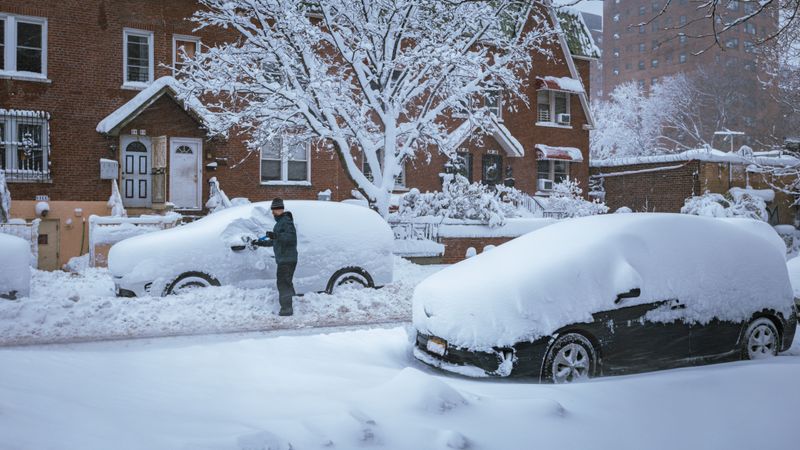
Snow on the panel can drop its output to effectively zero until it melts or is removed. A thin dusting often slides off a tilted, dark panel on a sunny day. Packed snow and ice will not.
- Clear snow with a soft brush or your gloved hand. Never chip ice with a hard tool, because it can scratch the panel.
- Mount the panel where you can reach it without a ladder on ice.
- Tilt it steeply so snow slides off.
- Keep it out from under roof edges where snow and icicles drop.
Do solar security lights work in winter, and are their limits different from cameras?
Solar security lights do work in winter, but their limits are different. A light uses a lot of energy each time it switches on, while a camera sips power between events. A light that fires at every passing cat or car will drain a winter battery faster than a camera watching the same spot.
Lights also tend to run on small panels and have no easy USB top-up. To get through winter:
- Lower the brightness or shorten the on-time if the light allows it.
- Reduce motion sensitivity so wind and small animals do not trigger it.
- Choose a light with a separate panel you can aim at the sun.
- Expect shorter nightly runtime in December than in June, since long nights mean more lit hours and less charging.
How should a solar camera panel be positioned for winter sunlight?
Face it toward the sun and tilt it steeply. In the US, that usually means south-facing. A tilt of roughly 30 to 45 degrees is commonly recommended to improve winter exposure and shed snow. Use this checklist:
- Orientation: south-facing where possible; avoid north walls.
- Winter obstruction: check trees, fences, and rooflines between 10 a.m. and 2 p.m. in December.
- Tilt: 30 to 45 degrees, steeper in snowy areas.
- Snow clearance: mounted where you can reach it safely.
- Cable protection: use the supplied cable, keep drip loops so water runs off, and secure it against wind and ice.
- Manual charging access: the camera or battery should be easy to take down for a USB top-up.
- If the camera spot is shaded but another spot nearby gets sun, use a detachable panel and run the cable there.
- If no spot gets winter sun, use a wired or plug-in camera.
- If you get a few sunny days a month, add a larger battery and plan a USB top-up.
What ratings and specs to check before buying
Check these before you spend money. The solar camera buying guide at SecurityCameraForHome covers more of the basics.
- Battery size: bigger gives more reserve, though capacity alone does not guarantee winter reliability.
- Panel wattage and design: detachable or separately mounted panels are easier to position than integrated ones.
- Operating and charging temperature: look for both, not just one.
- Weather rating: an IP65 or higher rating is common for outdoor gear. Check the maker’s listing for the exact figure.
- USB charging: a way to top up by hand is your safety net.
- Removable battery: lets you swap a charged one in minutes.
- Motion controls: zones, sensitivity, and cooldown timers cut wasted events.
Are solar security cameras any good compared with wired or plug-in cameras?
They are good where mains power is hard to reach. They are weaker than wired cameras for guaranteed winter uptime. Pick based on your site and how much upkeep you accept.
| Type | Winter reliability | Maintenance | Install effort |
|---|---|---|---|
| Integrated-panel solar | Fair in sun, poor in shade | Clear snow, USB top-up if cloudy | Easy |
| Detachable-panel solar | Good if the panel gets sun | Clear snow from the panel | Easy to moderate |
| Wired or plug-in | Highest | Little | Moderate; a new outdoor outlet needs a licensed electrician |
If this camera guards a key entry point and you cannot accept gaps in video, go wired. Use solar for sheds, gates, driveways, and far corners.
What should you do if the camera battery keeps draining in winter?
Work through these steps in order, from cheapest to most involved:
- Clear the panel of snow, ice, leaves, and grime.
- Cut motion events: shrink the detection zone, lower sensitivity, and lengthen the cooldown.
- Shorten clips and limit night recording or live view.
- Move or tilt the panel for more winter sun.
- Top up by USB indoors or at the mount, in a warm room if the battery is cold.
- Add a spare battery if your model supports it.
- Switch to a wired camera if none of this holds up.
What do owners say?
Owners like
- No power cable to install and no routine charging when the panel gets strong direct sun.
- Easy setup in places with no nearby mains power.
- The battery keeps the camera running overnight and through short cloudy periods.
- Detachable or separate panels can be aimed at better sun than a built-in panel.
Common complaints
- Battery levels fall during long cloudy winter weather, especially in shaded yards.
- Snow or debris on the panel needs manual cleaning.
- Some owners in northern or very overcast areas recharge by USB every few weeks.
- Frequent motion events and night recording drain the battery faster than expected.
- Small integrated panels may not give enough winter charging margin.
Summarised from owner reviews and long-term user reports; individual experiences vary.
Frequently Asked Questions
Do solar security cameras work in winter?
Yes, with limits. Short days, a low sun, snow on the panel, and cold batteries reduce charging and runtime. A large battery, a south-facing panel tilted 30 to 45 degrees, and low motion activity make winter operation far more likely. In shade, expect to top up by USB every few weeks.
Do solar security cameras work?
Yes. The panel charges a battery and the battery runs the camera, including at night. They work best where the panel gets several hours of direct sun and the camera does not trigger constantly. They are less dependable in deep shade or very cloudy regions.
Do solar security lights work in winter?
They do, but they use more energy each time they switch on than a camera does. Short days and frequent triggers can leave them dim or off by morning. Lower brightness, reduce sensitivity, and pick a model with an adjustable separate panel.
How do solar powered security cameras work?
The solar panel turns sunlight into electricity and sends it to a rechargeable lithium battery. The camera draws from that battery for recording, motion detection, night vision, and Wi-Fi. When the sun is weak, the battery covers the gap until the panel can refill it.
Are solar security cameras any good?
They are good for spots without mains power and for easy installation. They are less certain than wired cameras in winter. Owners praise the simple setup but often complain about battery drain in shaded or cloudy conditions. Choose a bigger battery and a detachable panel, and keep a fallback plan.
Sources